TokenGate · LLM API gateway

One endpoint, one key,
many model providers

An admin connects the model services once. Users get one base URL and one API key. OpenAI, Anthropic and Gemini style endpoints are all there, so the SDKs and tools you already use keep working.

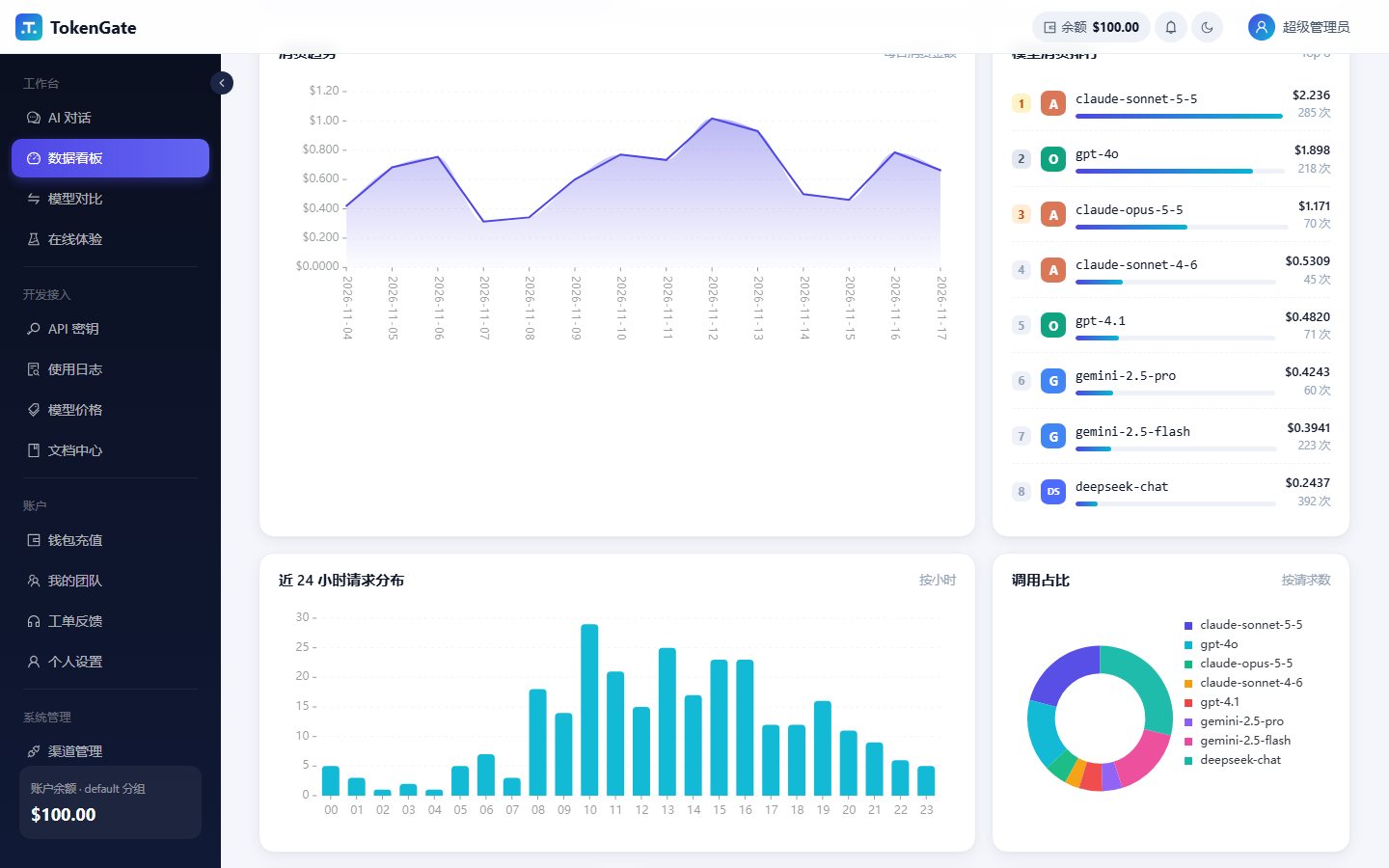
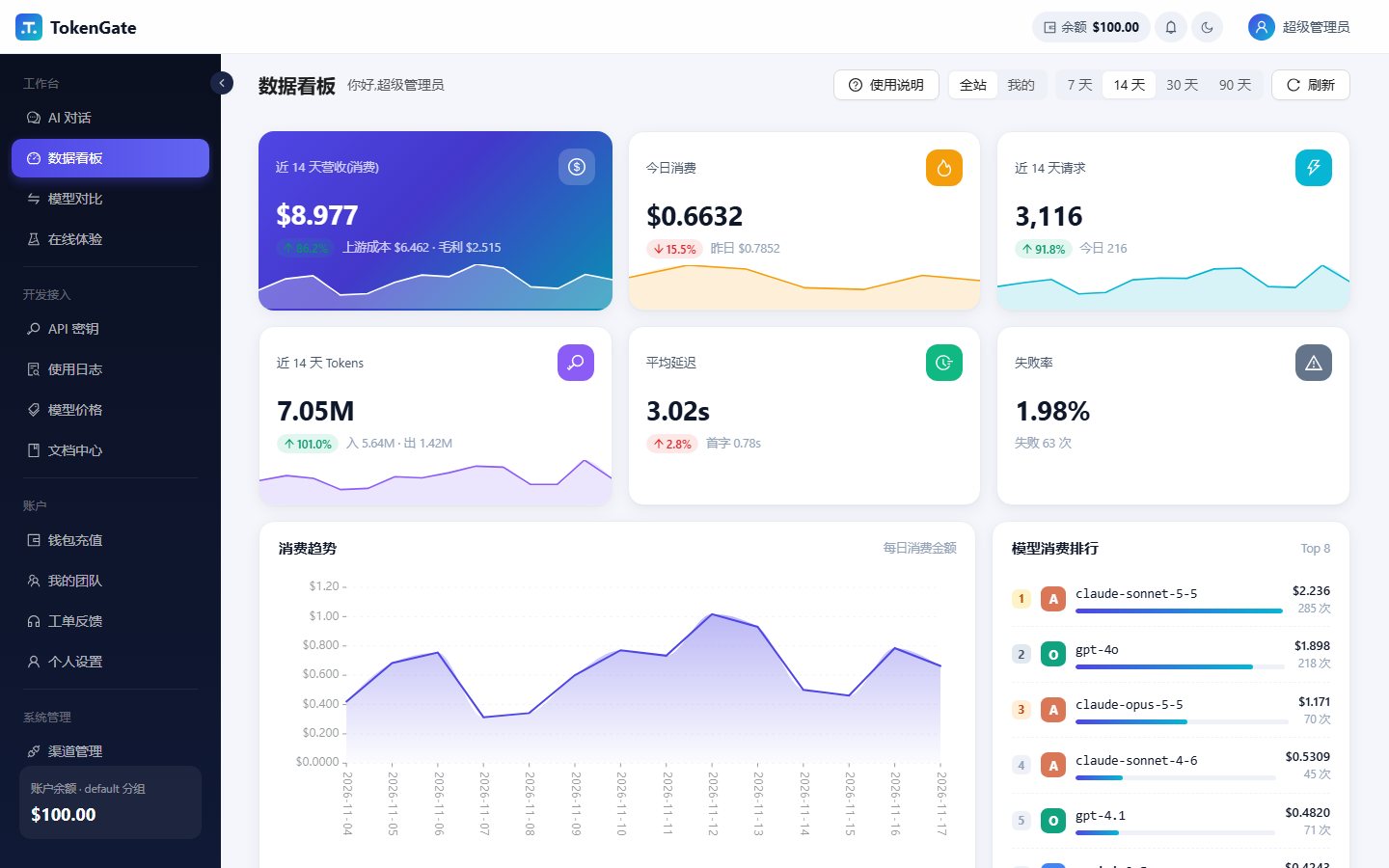
Dashboard: spend trend, model ranking, request distribution
3API formats: OpenAI, Anthropic, Gemini
20+providers built in, plus any OpenAI-compatible service
Usagebilling follows the token counts the upstream reports

Screenshots of the console (Chinese UI). Numbers and names are demo data. Click an image to enlarge.

Which providers it connects to

Pick a type when creating a channel, the address is filled in, paste the key and it works. These are built in:

OpenAIAzure OpenAIAnthropic ClaudeGoogle GeminiDeepSeekQwen (Bailian)Zhipu GLMKimiDoubao (Volcano Ark)Baidu QianfanTencent HunyuanMiniMaxStepFun01.AISiliconFlowOpenRouterxAI GrokMistralGroqPerplexityJinaOllamavLLM / llama.cpp / LM Studio

You can also connect self-hosted models or any service that speaks the OpenAI or Anthropic format.

Features

Main features, with screenshots

01

Three API formats that work across providers

It serves OpenAI (/v1/chat/completions), Anthropic (/v1/messages) and Gemini (generateContent) style endpoints. Chat requests are converted between protocols, so you can call Claude with the OpenAI SDK, GPT from Claude Code, or DeepSeek with the Gemini SDK.

  • Claude-format requests to a Claude channel and Gemini-format requests to a Gemini channel pass through unchanged, so cache control and thinking keep working
  • Embeddings, image generation, audio and rerank go through OpenAI-compatible channels
  • The user guide, API reference and admin manual are readable inside the console
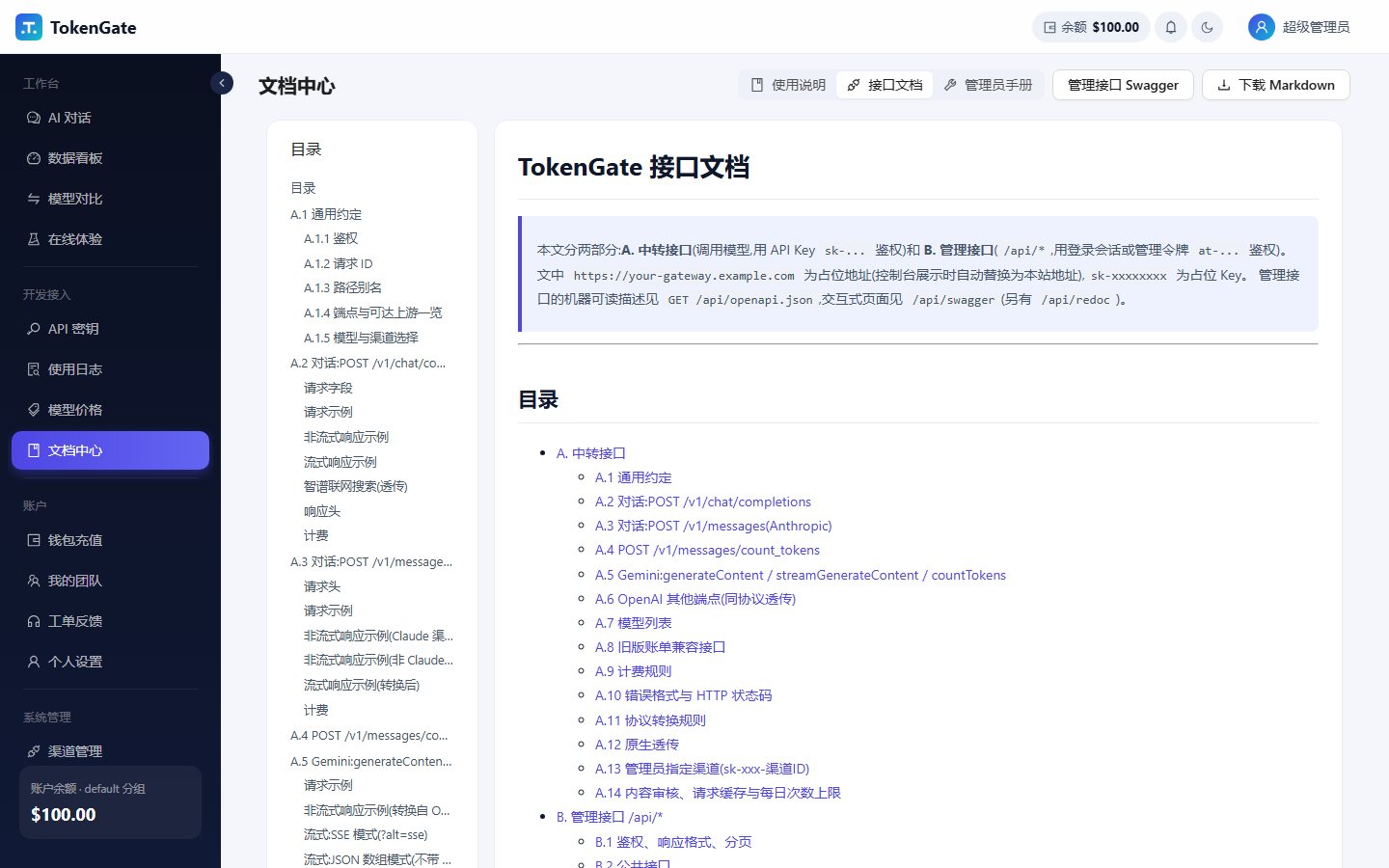
Docs centre: user guide, API reference, admin manual
02

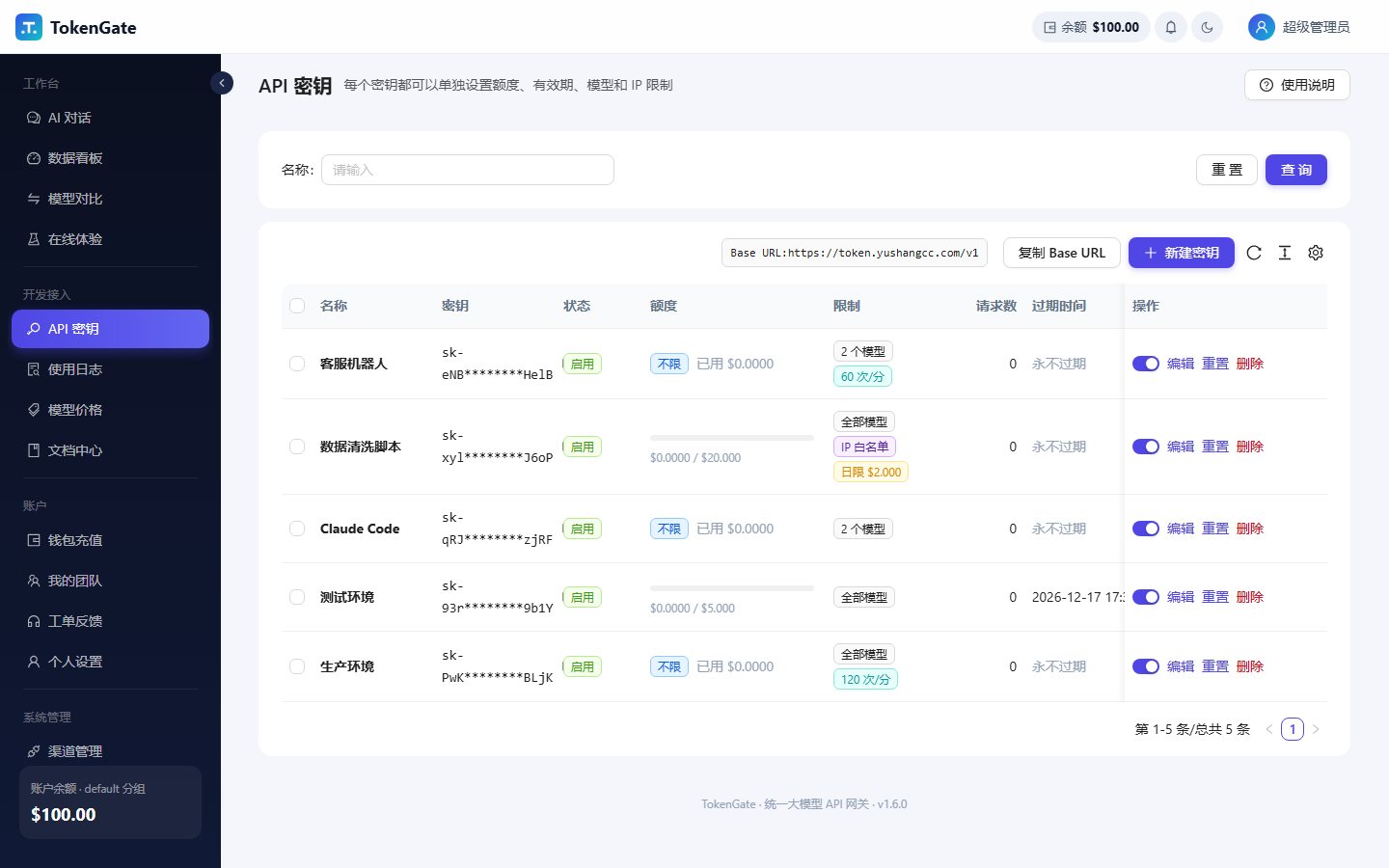
Limits on every key

Create separate keys for each project or teammate. If one leaks, regenerate or disable just that key.

  • Total quota and daily spend limit
  • Expiry date
  • Model allowlist
  • IP allowlist, CIDR supported
  • Requests per minute
API keys with their own limits
03

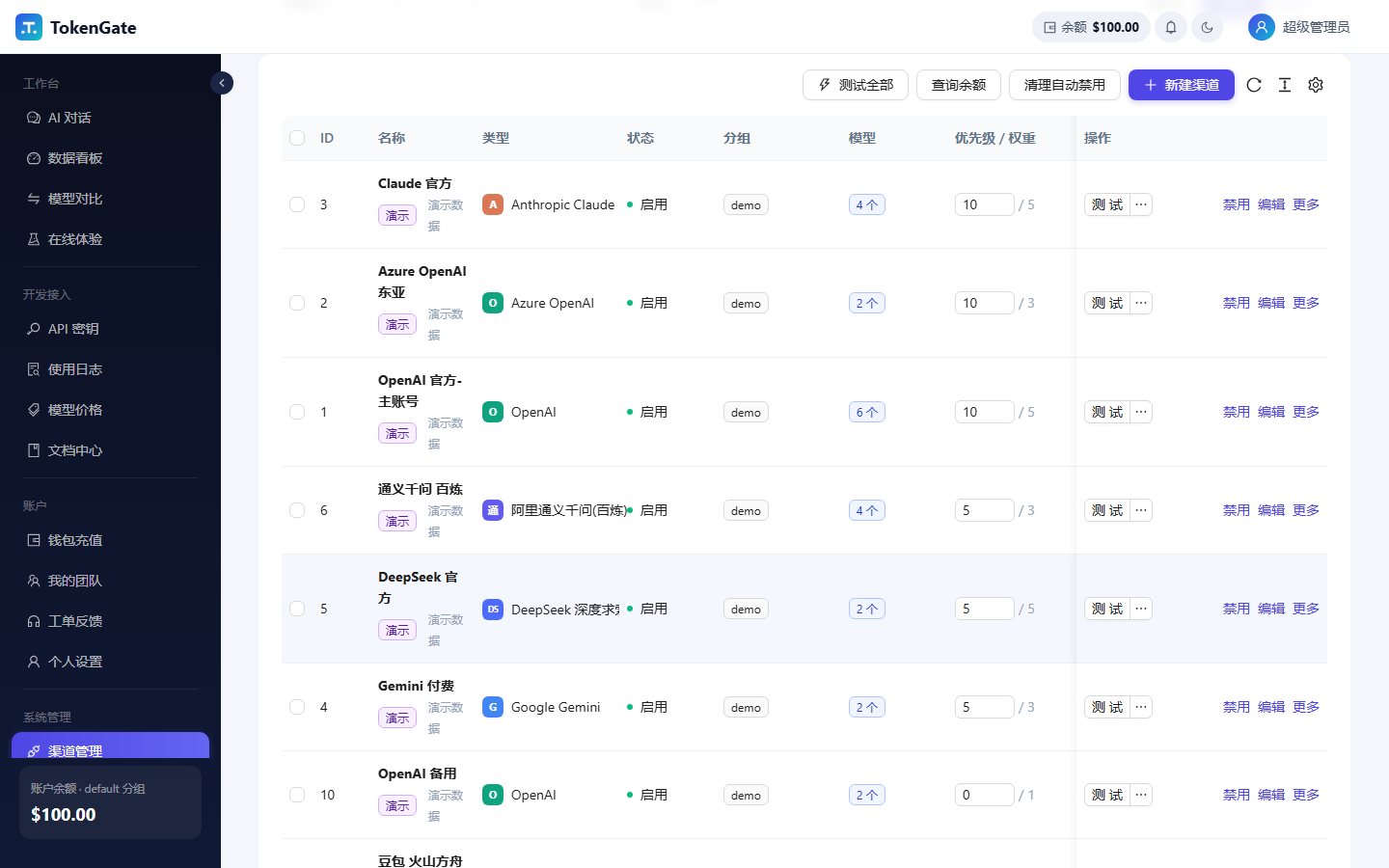
Several channels per model, automatic failover

One model can have several channels, balanced by priority and weight. If a channel fails, the request is retried on another one and the caller does not notice.

  • A channel that keeps failing is paused for a while, then tried again
  • Route by weight, fastest response or lowest cost
  • A channel can hold several keys and each can be disabled on its own
  • Test a channel from the console and see its response time
Channels: priority, weight, one-click test
04

Usage and spend in one place

The dashboard shows spend, requests, tokens, average latency and failure rate over 7, 14, 30 or 90 days. Admins see the whole site, users see their own.

  • Daily spend trend and spend by model
  • Requests over the last 24 hours and share by model
  • Channel health
Dashboard: spend trend, model ranking, request distribution
05

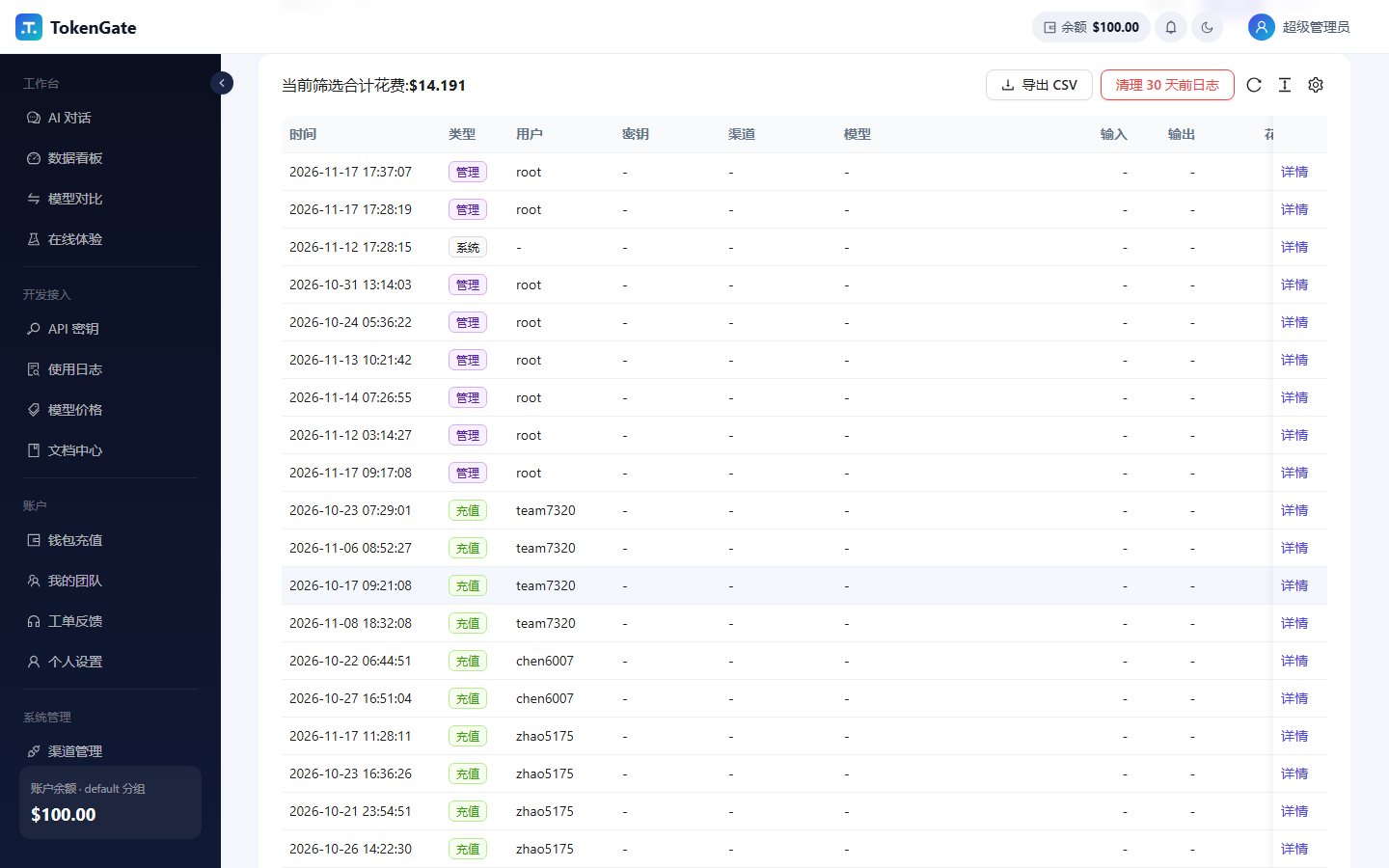
Every call is on record

Each call records the model, input and output tokens, cost, duration and time to first token. When something breaks, look it up by request ID.

  • Filter by time, model, key or channel
  • Export CSV
  • Admins get a reconciliation report: revenue, upstream cost and margin by day, channel, model and user
Usage log: a record for every call
06

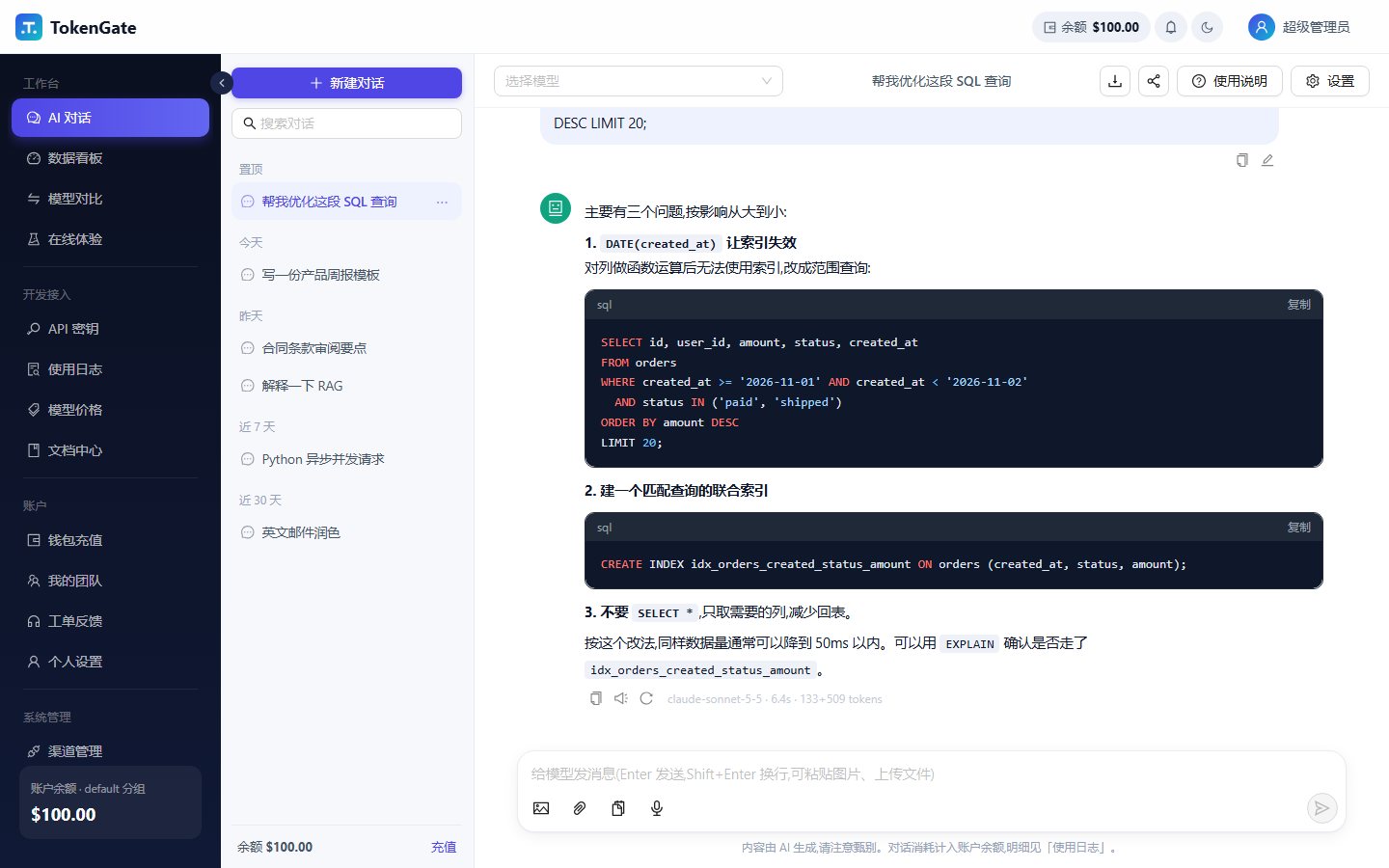
A web chat for people who don't write code

After login you land on the chat page. Pick a model, ask, read the answer. Chats are stored on the server, so they follow you to another computer.

  • Upload images, or ask questions about PDF, Word and Excel files
  • Pick an image model to generate pictures
  • Prompt templates, system prompts, Markdown export, share links
  • Send one question to 2 to 4 models and compare side by side
Web chat: pick a model and ask
More

The rest of what running a gateway needs

Team balance

Members of a team spend from the owner's balance, with an optional cap per member.

Top-up and codes

Top up by WeChat Pay QR code, or redeem a code. The balance updates automatically.

Plans

Admins define plans. Users buy them or admins grant them, and the user returns to the old group on expiry.

Groups and rates

Different user groups can have different billing multipliers and different channels.

Time-limited accounts

Generate accounts in bulk with an expiry date and extend them later.

Two-step verification

Accounts can require a one-time code at login.

Tickets and notices

Users open tickets, admins reply, the user gets a notice in the console. Site-wide announcements too.

Response cache

Identical non-streaming requests can be served from cache at no charge. Off by default.

Content filter

Block requests by keyword. Off by default.

Alerts

Push channel failures and similar events to WeCom, Feishu or DingTalk bots.

Webhooks

Key events can be posted to your own endpoint with a signature.

Invoice requests

Users request invoices for what they paid online and admins handle them in the console.

Get started

Change the base URL and the key

Create a key in the console and point your SDK at the address below. Nothing else in your code changes.

Tools you can point at it

Claude CodeCursorContinueClineCherry StudioChatBoxLobeChatNextChatDifyLangChain

The user guide has setup steps for each one.

Python · OpenAI SDK
from openai import OpenAI

client = OpenAI(
    base_url="https://token.yushangcc.com/v1",
    api_key="sk-xxxxxxxx",
)
resp = client.chat.completions.create(
    model="claude-sonnet-5-5",
    messages=[{"role": "user", "content": "你好"}],
)
print(resp.choices[0].message.content)
curl
curl https://token.yushangcc.com/v1/chat/completions \
  -H "Authorization: Bearer sk-xxxxxxxx" \
  -H "Content-Type: application/json" \
  -d '{"model":"gpt-4o-mini","messages":[{"role":"user","content":"你好"}]}'

Use any model the admin has enabled, including models from other providers.

Pricing

Pricing on request

Email us your expected usage and how you plan to connect, and we will reply with a quote.

adolfmc@sina.cn